Hello
English
American or British English, everyday speaking and tricky sounds.
152 lessons · 3 conversationsSeven languages. Every kind of learner.
Find your voice with Wunder Tutor. Listen, speak and work on the sounds that need another try — with lessons that grow from childhood to adult life.
iOS and Android apps · Coming soon
Beta access: real scoring, cloud voices and photo reading need an invite code or an account with access. How access works
Choose your language
Start with familiar words. Move into everyday situations. Switch courses from your Profile as your interests grow.
Hello
American or British English, everyday speaking and tricky sounds.
152 lessons · 3 conversations你好
Characters, pinyin and Mandarin tone practice.
151 lessons · 3 conversations你好呀
Traditional characters, Jyutping and six-tone practice.
96 lessons · 24 conversationsこんにちは
Everyday Japanese, pronunciation and conversation practice.
34 lessons · 3 conversations안녕하세요
Korean sounds, useful phrases and guided conversations.
34 lessons · 3 conversationsBonjour
French pronunciation, everyday situations and sound ladders.
34 lessons · 3 conversationsHola
Spanish sounds, useful vocabulary and speaking practice.
34 lessons · 3 conversationsLesson totals count each course lesson once; age-adapted versions and seasonal bonuses are not counted as extra lessons. Course depth varies by language.
Small steps, spoken out loud
Listen to a word or sentence. Slow it down when you need a little more time.
Tap the microphone and speak. With scoring access, get feedback on your pronunciation.
Retry the phrase, work on a sound in the Lab, or come back for a review.
Lessons also include listening choices, reading and sentence-building activities. Available feedback depends on the course and exercise.
Inside Wunder Tutor
Real app screens, from your first word to a sound you want to get right. Select a screen to see it at full size.
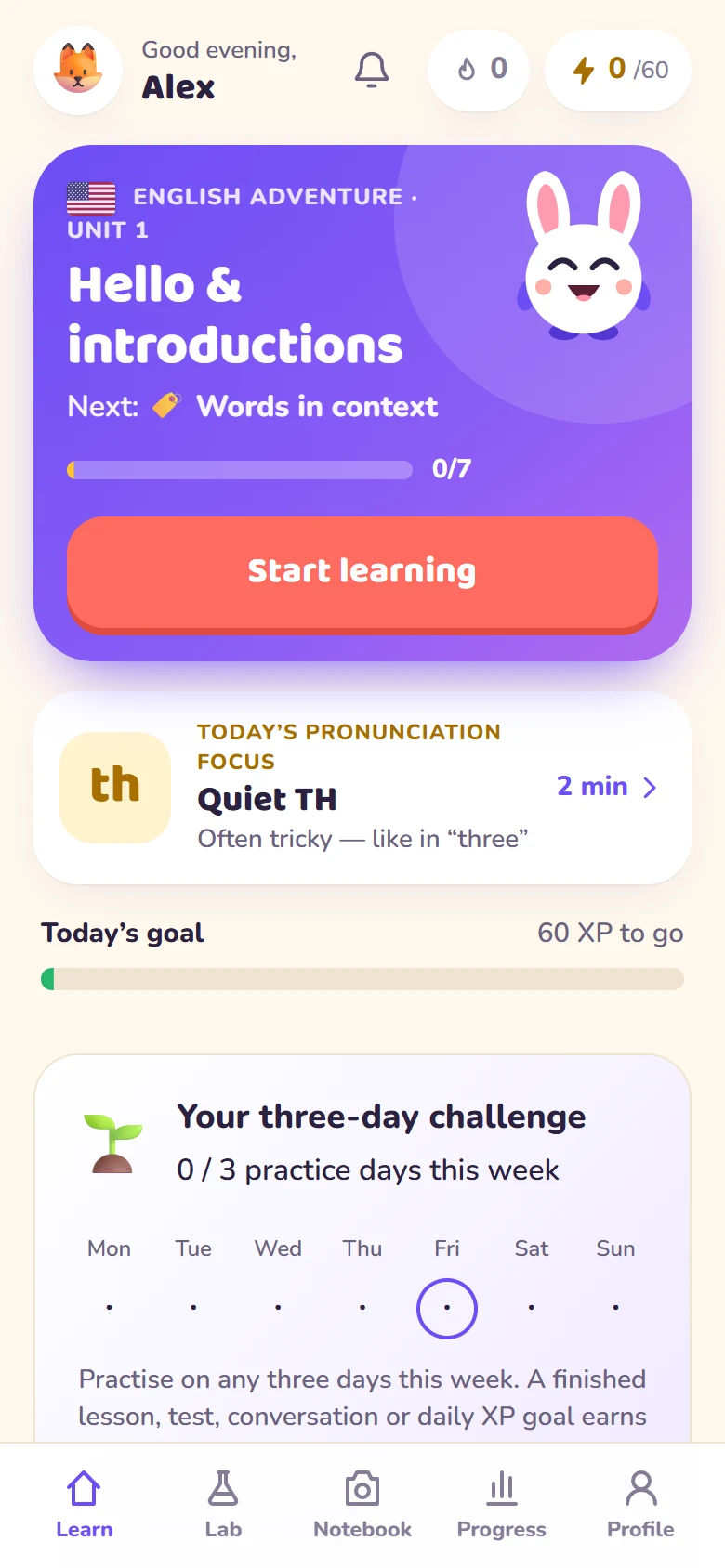
Learn
Pick up your course, revisit a tricky sound and work towards your daily goal.
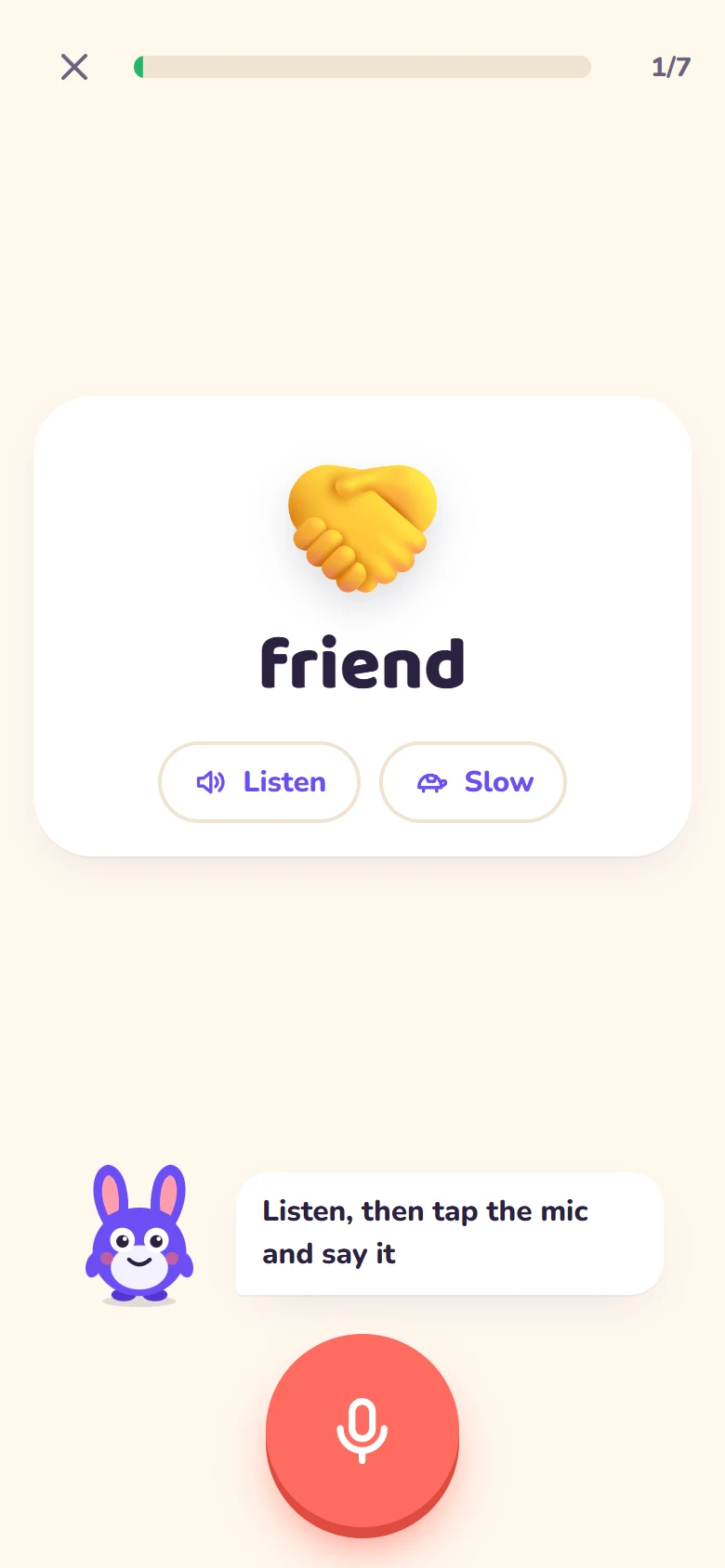
Speaking lesson
Hear the model at normal or slow speed, then tap the mic to practise.
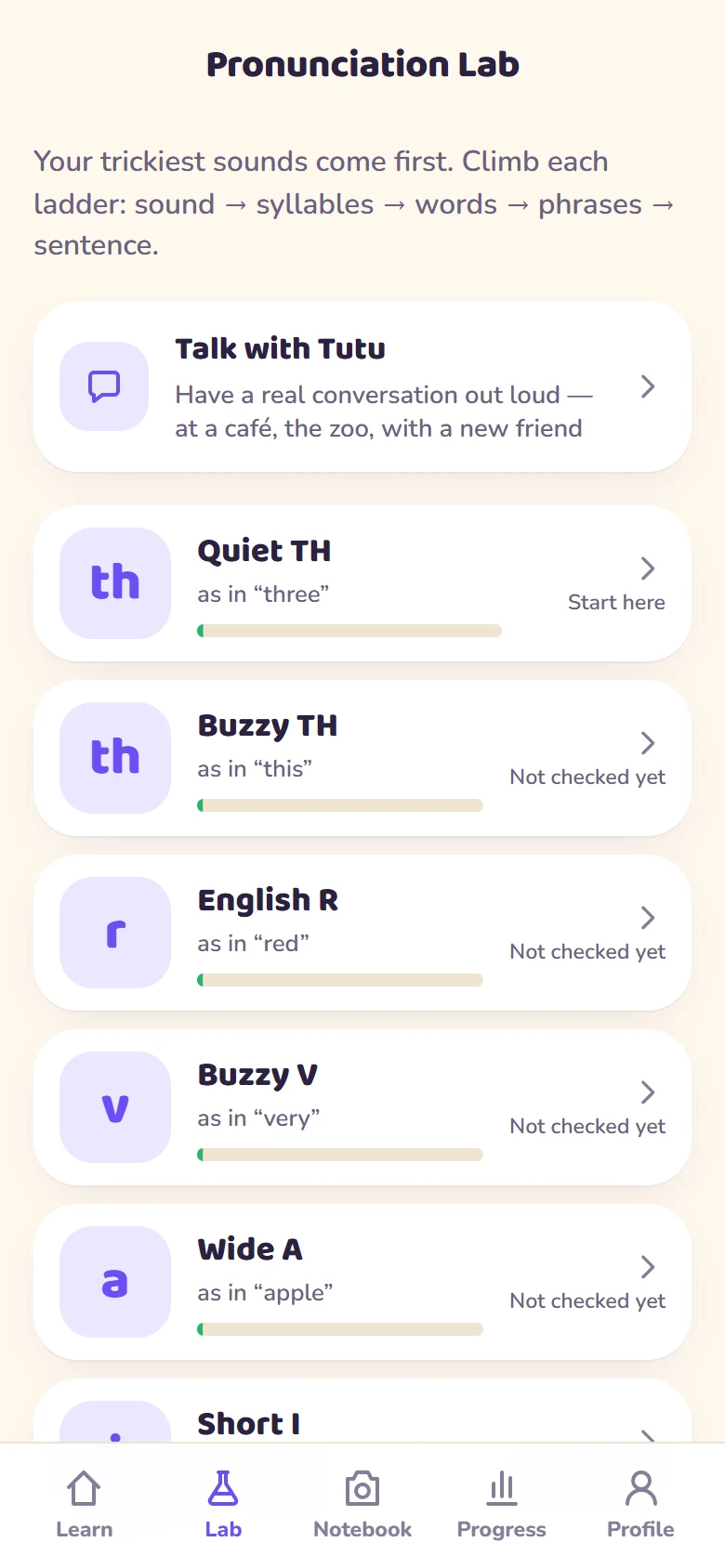
Pronunciation Lab
Practise a sound through syllables, words, phrases and a full sentence.
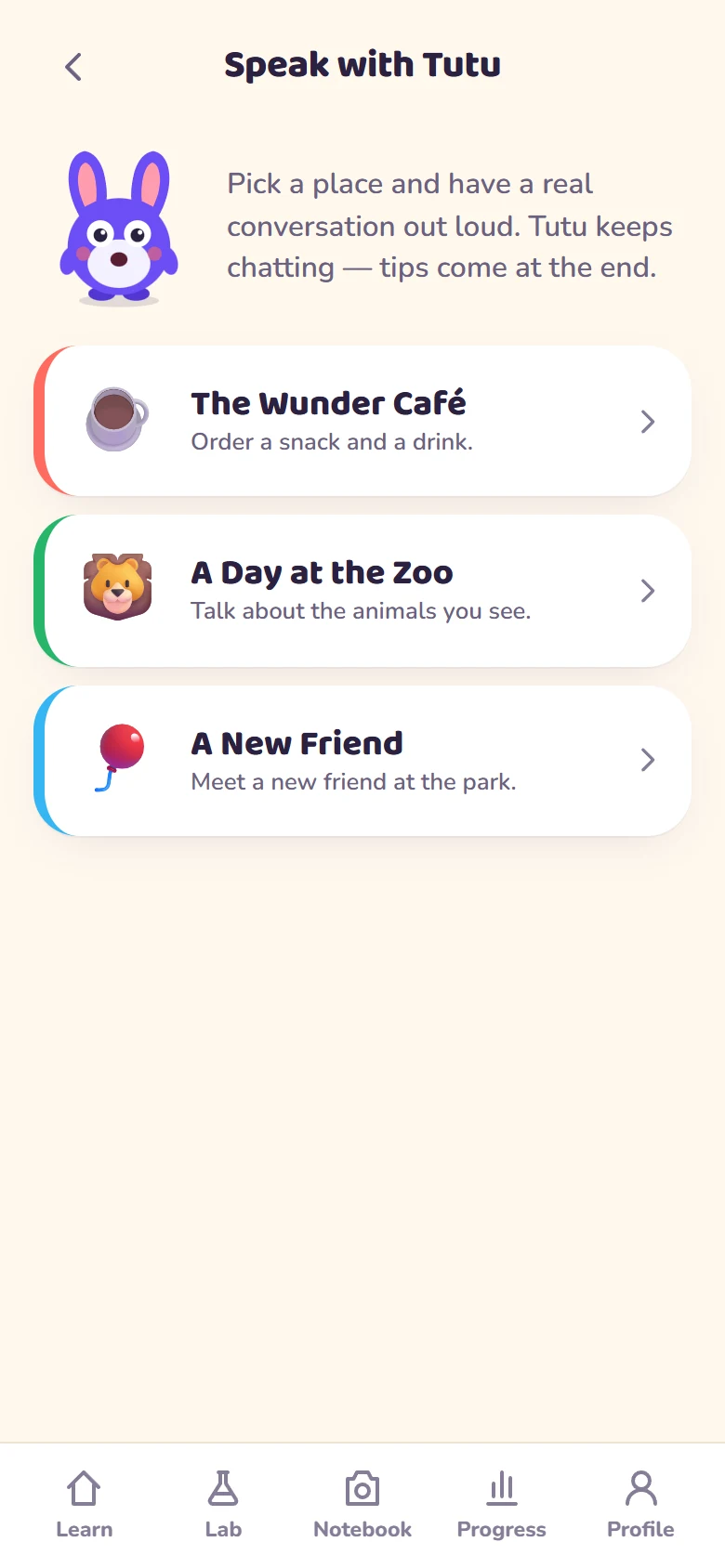
Conversations
Choose a guided scenario, speak your replies and review pronunciation feedback.
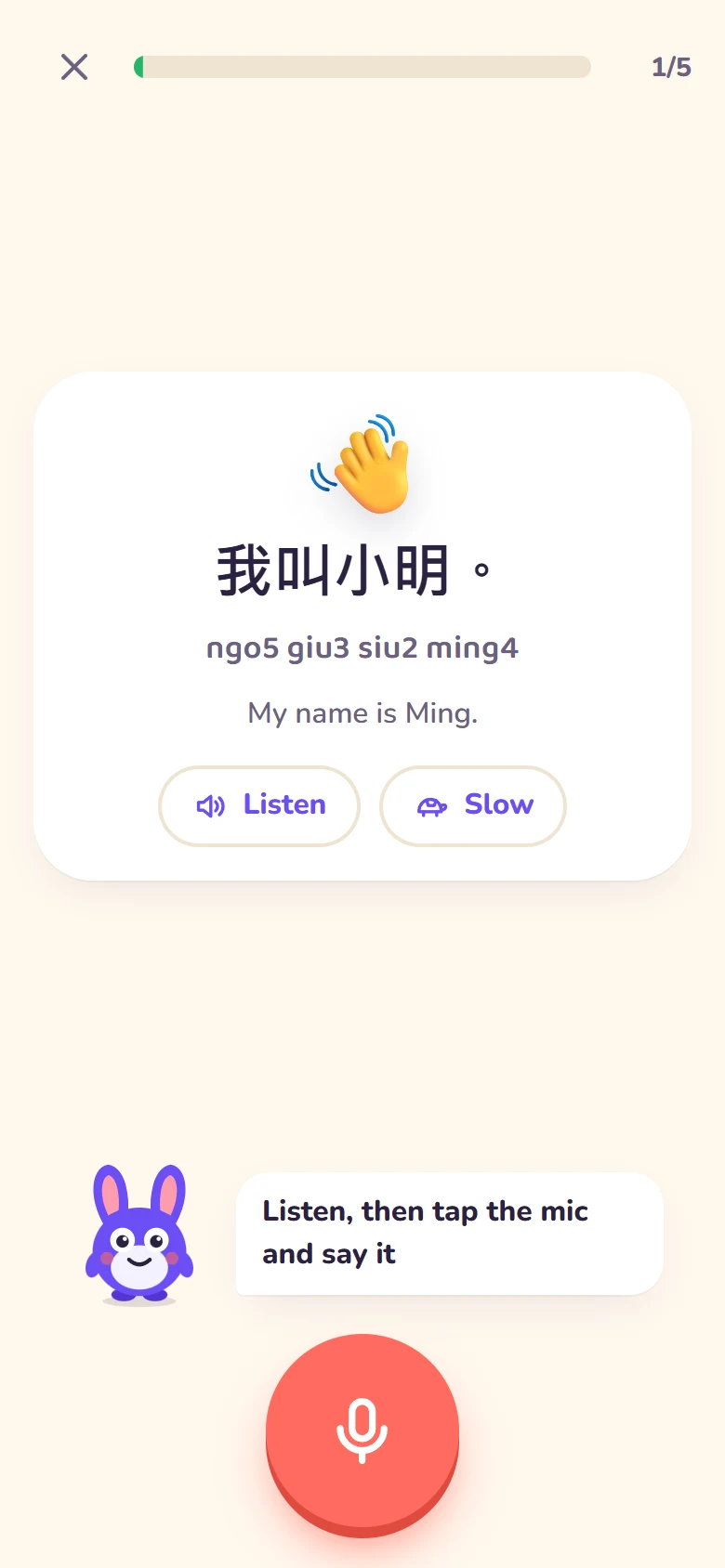
Cantonese lesson
Follow Cantonese characters and Jyutping as you practise useful spoken phrases.
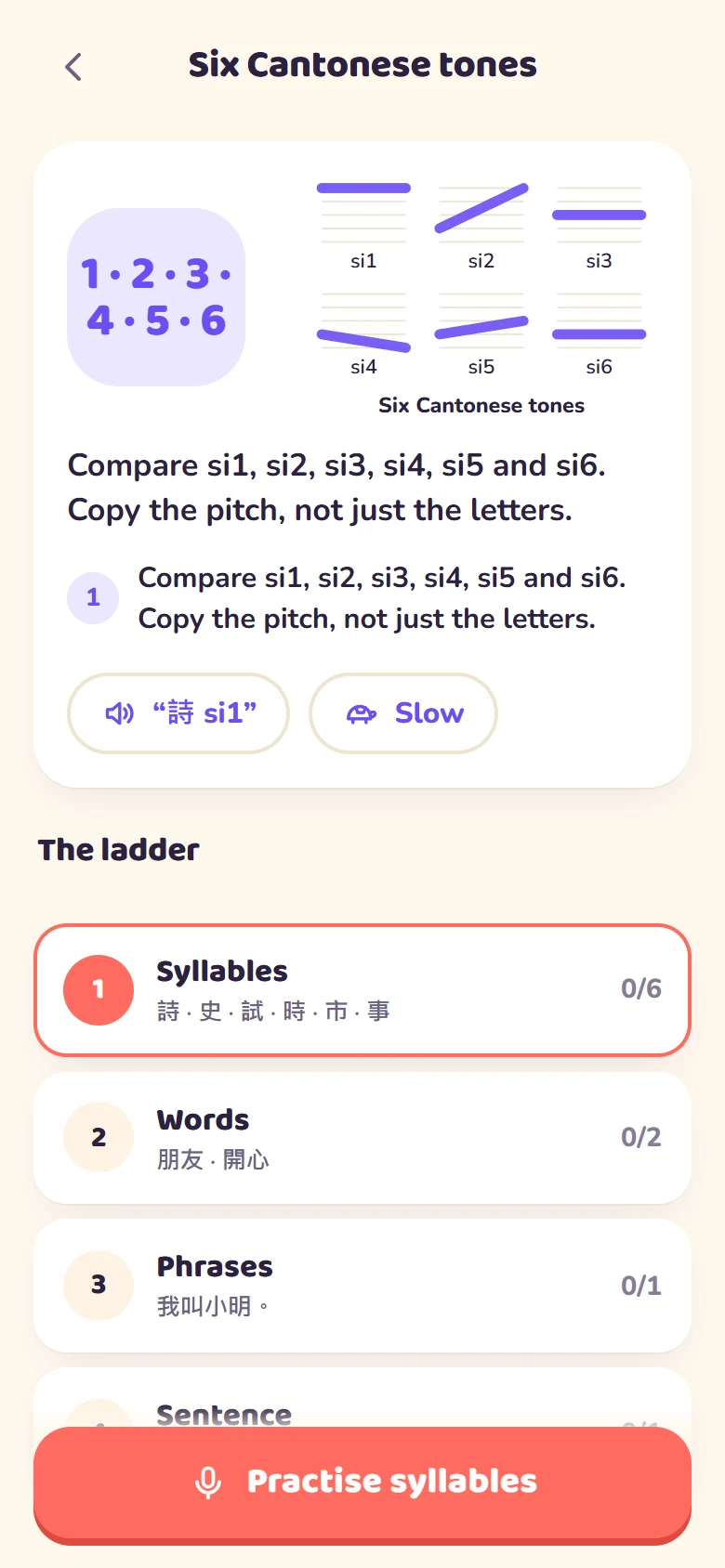
Cantonese tone lab
Compare six Cantonese tone contours and work through a dedicated sound ladder.
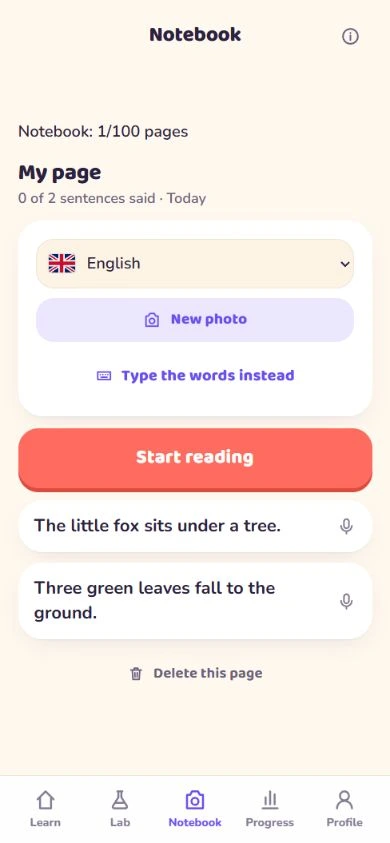
Notebook
Choose a language, read a photo or type text, then practise sentence by sentence. Try dictation, travel phrases or a short passage from school.
Explore Notebook ideas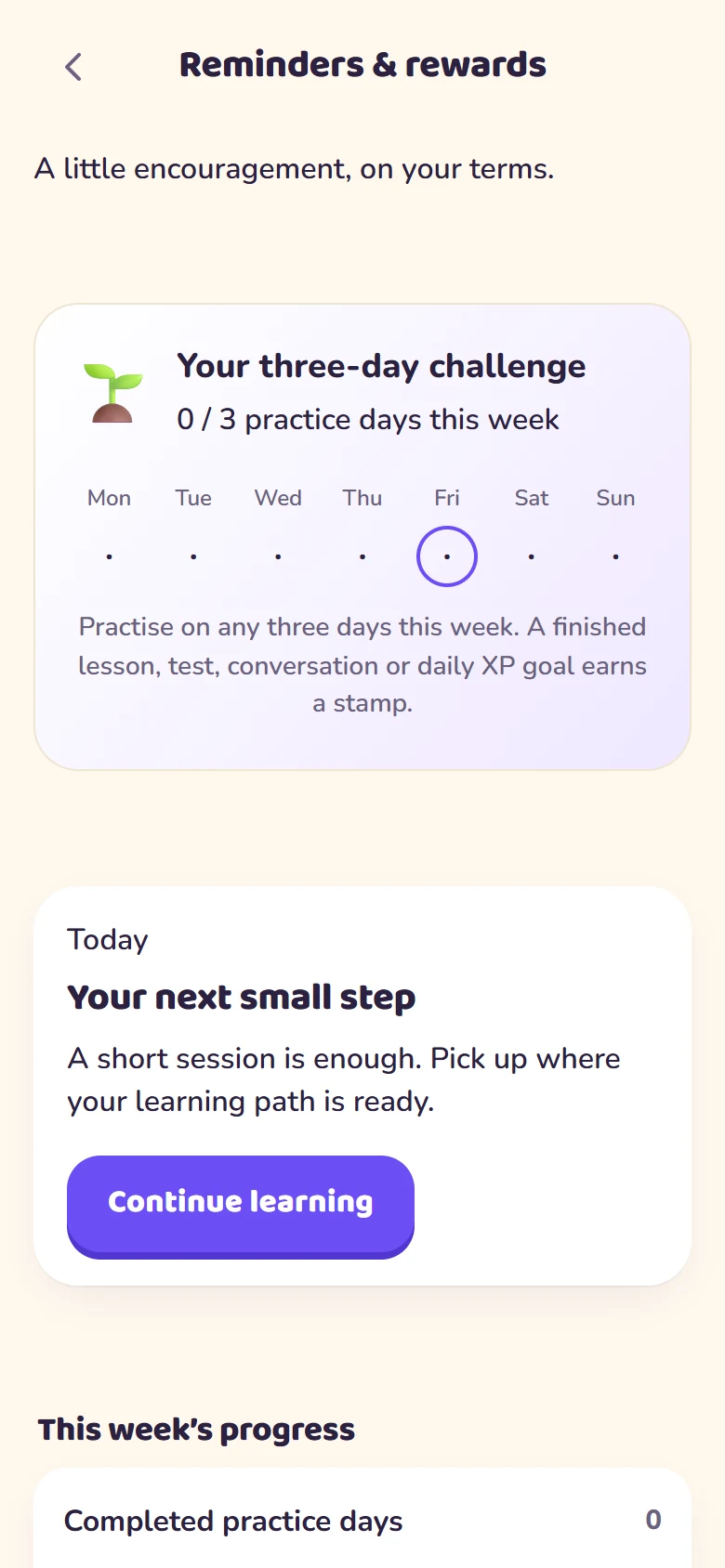
Reminders & rewards
Choose a schedule, set quiet hours and pause reminders whenever you need to.
Captured from the running local app using a fictional learner: Notebook on 29 September 2026, other screens on 25 September 2026. No real learner recordings, photos or scores are shown. Notebook uses original sample text.
Room to grow
Four age groups shape the lesson wording, situations and look of the app. Pick the one that fits you or your child.
Ages 5–7
Picture-led prompts, simple words and a playful learning companion.
Ages 8–11
Everyday topics, short sentences and a colourful lesson map.
Ages 12–17
School, friendships and practical conversations, with a calmer presentation.
Ages 18+
Everyday life, travel and work, with foundations to revisit along the way.
Your voice. Your choices.
Voice and learning data deserve clear explanations. Review the recording choices during setup and change them in Settings.
Read the privacy noticeA few helpful answers
Languages, access, devices and the details of daily practice.
Wunder Tutor is a pronunciation practice app for children, teens and adults. It combines speaking lessons, listening and reading activities, guided conversations, a Pronunciation Lab and review. Tutu is the in-app learning companion.
You can learn English, Putonghua (Mandarin), Cantonese, Japanese, Korean, French, and Spanish. There are currently 535 course lessons across these seven courses. Course sizes differ; the course cards above show the current counts. Seasonal bonus lessons are separate.
The app has four age groups: Little (5–7), Junior (8–11), Teen (12–17) and Adult (18+). Lesson wording, practice situations and presentation adapt to the selected group. A parent or guardian should help a child with setup and microphone consent.
The interface supports English, Traditional Chinese, Simplified Chinese, Japanese, Korean, French and Spanish, and so does this website. App language is separate from the language you are learning. Some translations are machine drafts and are still awaiting native-speaker review.
With scoring access, a short recording is sent to Microsoft Azure Speech for assessment. The app uses the result to show scores, highlight words or sounds to practise and offer a retry. Feedback varies by language and exercise. Automatic scores are learning guidance and can be affected by the microphone, background noise and the service’s interpretation.
Wunder Tutor is in beta. Full speaking practice, cloud teacher voices and photo reading use authorized access through a valid invite code or an account with access. Open the app to see the available preview and access options. Any result labelled simulated is not an assessment of your voice. A subscription price is not published on this website.
Yes. English learners can choose an American or British accent in setup and settings. This controls the requested English speech locale. Other courses use their own language settings.
Yes. The Cantonese course has 96 lessons, Traditional Chinese characters, Jyutping, guided conversations and a six-tone chart in the Pronunciation Lab. Cantonese is a separate course from Putonghua.
Choose English, Putonghua, Cantonese, Japanese, Korean, French or Spanish, then photograph, upload or type a short text in that language. Check the extracted wording, listen and practise sentence by sentence. Notebook preserves your wording rather than translating it. Dictation is a listen-and-write activity you check yourself. Signed-in accounts can save up to 100 pages across languages. Sign-in and active access are required; photo reading, cloud voices and scoring also need an internet connection. Usage limits apply.
Yes. Settings lets you choose a primary and backup voice for each course and preview them. Google Chirp is the default primary voice, with Qwen as backup for Putonghua and Cantonese and Azure Neural for the other courses. Availability depends on access and service connection; device speech depends on voices installed on your device.
Progress is saved on the device you use. Signing in to a Wunder Tutor account can sync learner settings, progress, scores and saved page text. Replay recordings and photos are not included in account sync. Without an account, removing the app or clearing its data can remove local progress.
Voice clips go to Microsoft Azure for scoring. Replay recordings can be kept on your device. If Help improve Wunder Tutor is enabled, the team also keeps practice recordings without a name for up to 90 days. This setting starts enabled for new setups and can be switched off. Photos for reading go to Google Gemini. See the privacy notice for account storage, teacher voices, reminders and deletion controls.
Read the full privacy noticeWunder Tutor is coming to iOS and Android. You will need a phone or tablet with a microphone. Cloud scoring, cloud voices, photo reading and account sync need an internet connection. Saved local progress does not replace the connection needed for these services.
Yes. Push reminders start off. Enable them in Reminders & rewards, choose days and time, set quiet hours, or pause and turn them off. Device support varies. The app also has a three-day weekly practice challenge, XP and badges.
Your next word is waiting
Coming soon to iOS and Android. Explore at your own pace.